
How to track requested and approved résumés for an AEC pursuit
You asked a teaming partner for three résumés. Two came in, and then the partner sent a replacement for one of them. What’s still missing, what needs review, and which files can the proposal team use?
See the sandbox demoThree résumés, from request to handoff
In this fictional pursuit, the coordinator makes a separate request for each of the three required résumés. Each request has a responsible firm and a due date.
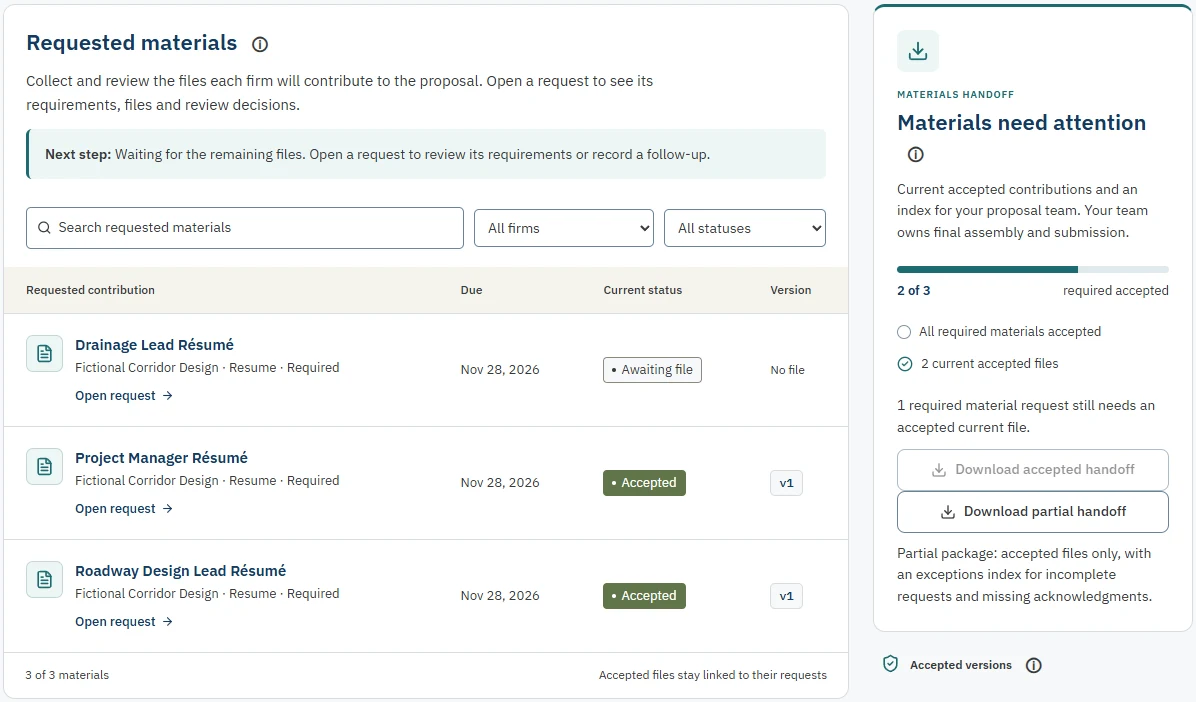
Two résumés arrive. One is still missing.
The reviewer accepts the Project Manager and Roadway Design Lead résumés. The Drainage Lead request shows Awaiting file. The coordinator can see exactly which request to follow up on.
 Open full-size screenshot
The replacement goes back into review
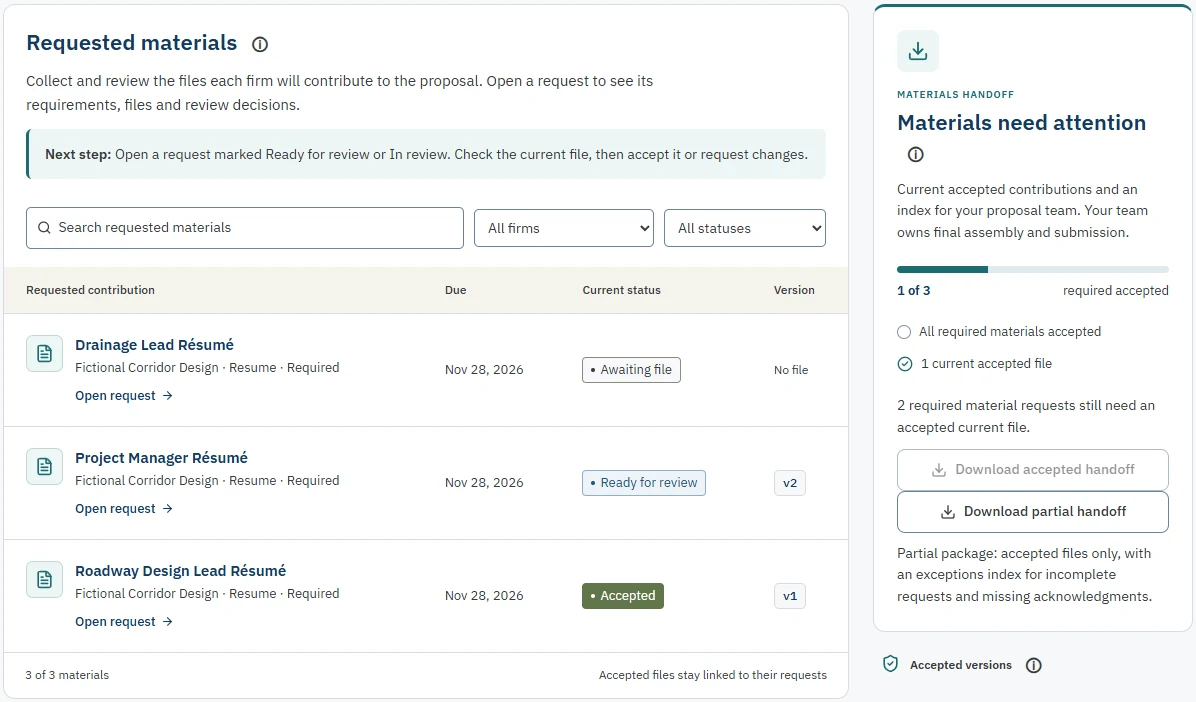
The partner uploads v2 for the Project Manager. The approval of v1 stays in the history, and v2 shows as Ready for review. The Project Manager request stays out of the handoff until v2 is accepted. The Roadway Design Lead résumé is still accepted, and the Drainage Lead résumé is still missing.
 Open full-size screenshot
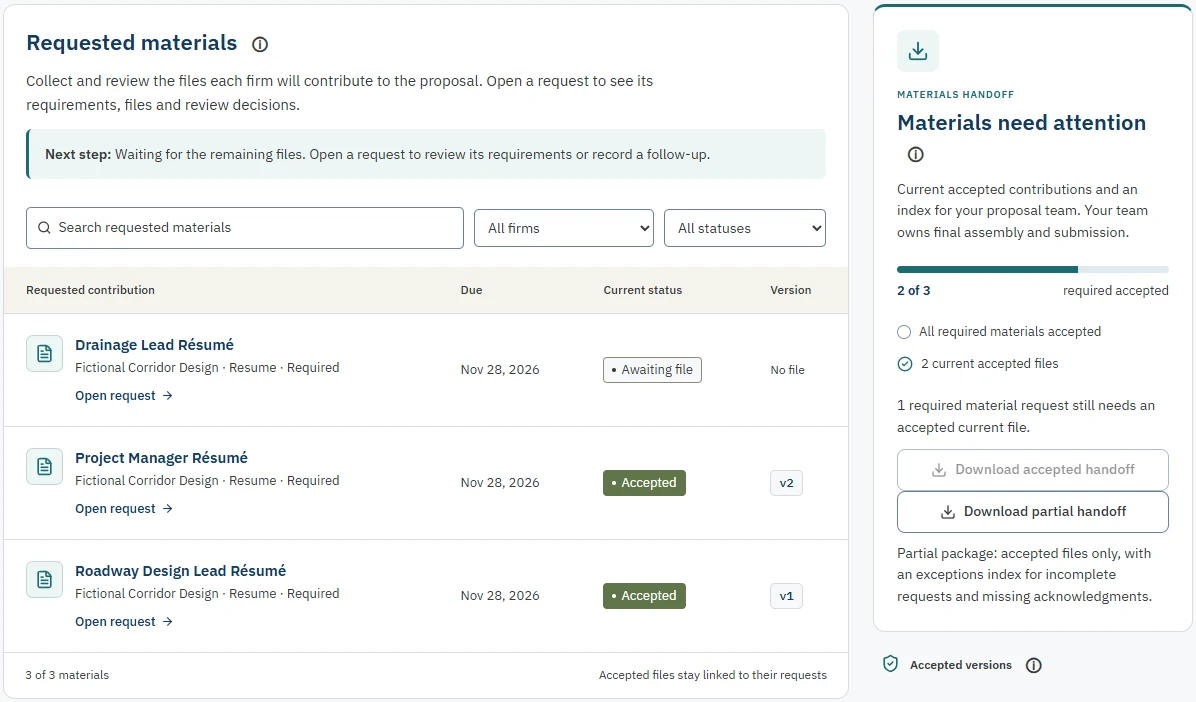
The reviewer accepts v2. One résumé is still missing.
The reviewer accepts the replacement file for the Project Manager. It takes the place of v1 in the handoff. The complete download stays blocked because the Drainage Lead résumé still hasn’t arrived.
 Open full-size screenshot
All three résumés are ready for handoff
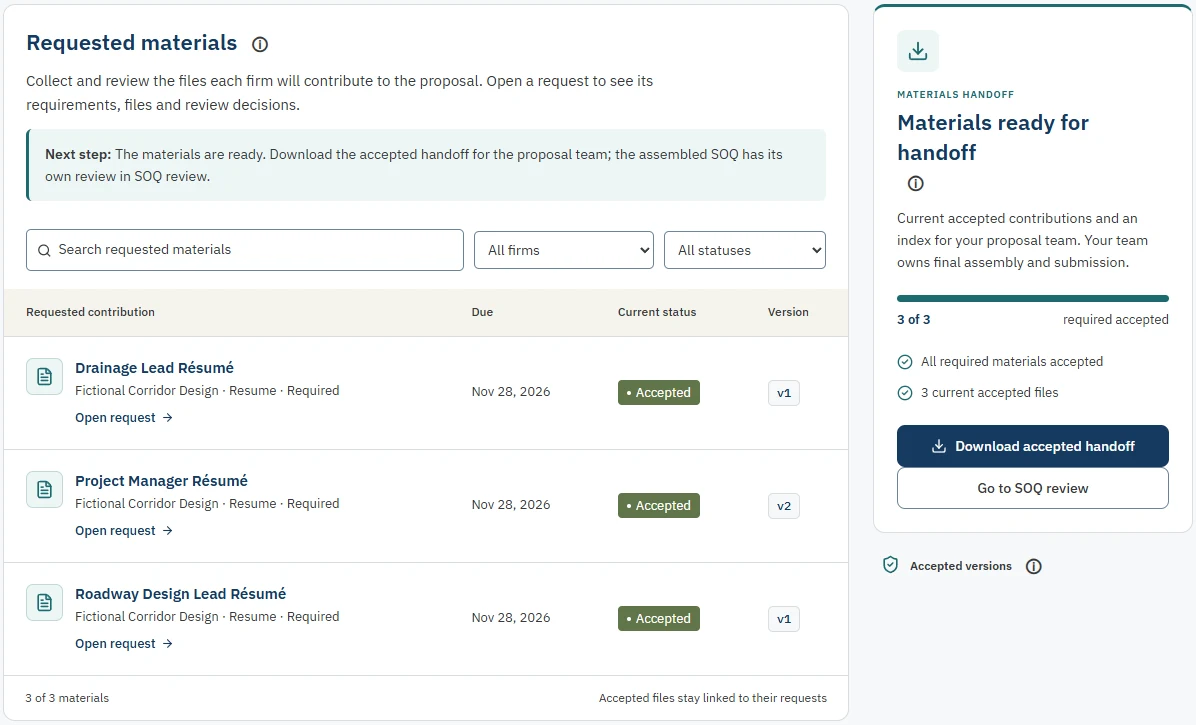
The Drainage Lead résumé arrives and the reviewer accepts it. The coordinator downloads an indexed ZIP containing all three accepted résumés, including v2 for the Project Manager, and shares it with the prime firm’s proposal team.
 Open full-size screenshot
Who receives the handoff?
The prime firm’s proposal manager or production team receives the approved résumés and other accepted contributions. They use those files to assemble the Statement of Qualifications (SOQ) or proposal. The prime firm handles final review and submission to the owner or issuing agency.
What to check before handing off
- Every required contribution has a current accepted file.
- Each file in the package matches the version the reviewer accepted.
- Replacements and addendum impacts are resolved, and required addendum acknowledgments are recorded.
If the team needs a partial handoff, export the accepted files with the exceptions listed so the proposal manager can see what is open.
Try the workflow yourself
Try three separate résumé requests, a replacement, and a handoff using fictional information in an editable sample pursuit.
Request the 14-day sandbox